
Hailuo 2.3 Pro: Bringing AI-Generated Characters to Life with Realistic Motion
Explore Hailuo 2.3 Pro, including AI video generation, realistic motion, facial expressions, text-to-video, image-to-video, and API integration.
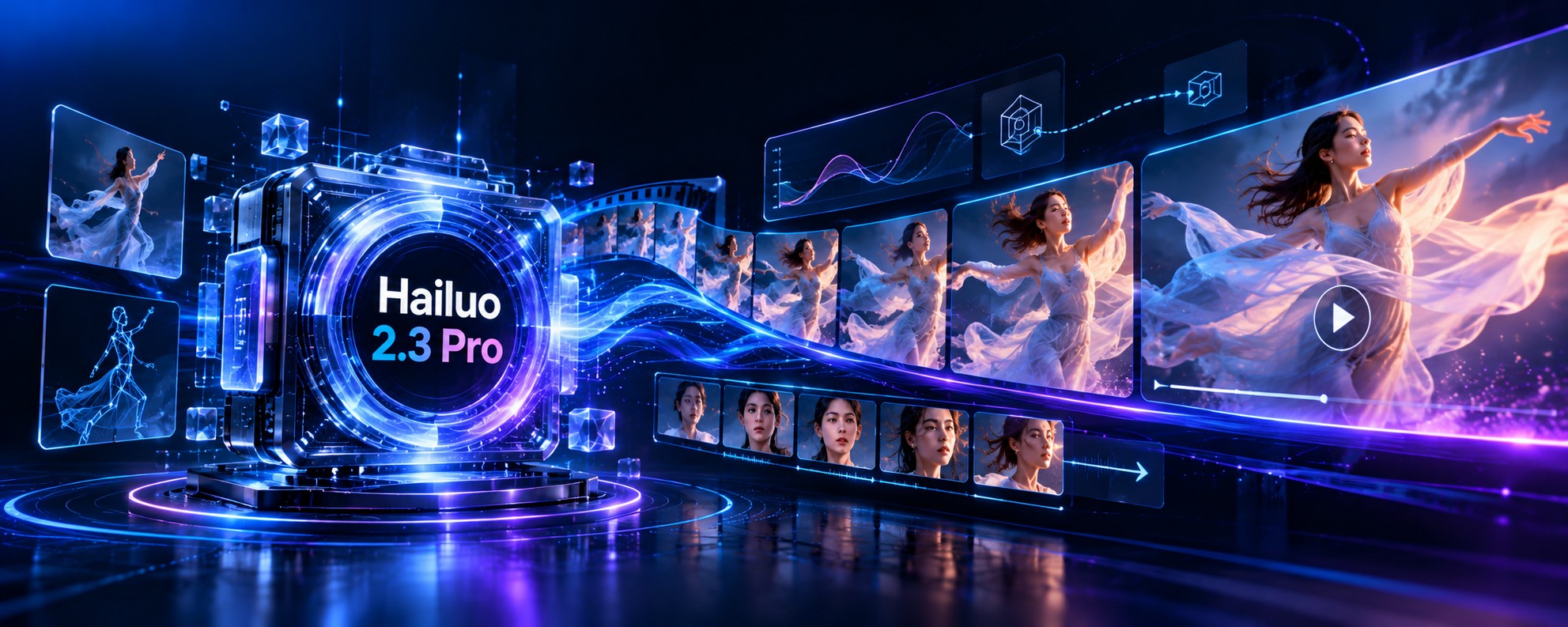
Realistic movement is one of the biggest challenges in AI video generation. A scene may look impressive in a single frame, but keeping the subject's appearance, expressions, lighting, and movement consistent throughout a clip requires much more than generating attractive images.
Hailuo 2.3 Pro is a model variant offered through certain third-party AI platforms, based on MiniMax's Hailuo 2.3 video generation technology. It is aimed at creating polished, short-form videos from text prompts, with support for image guidance on compatible endpoints.
In this guide, we will explain how Hailuo 2.3 Pro works, explore its main capabilities, look at practical use cases, and walk through an example API integration. We will also cover its limitations and the important differences between the Pro variant and MiniMax's official Hailuo 2.3 model.
What Is Hailuo 2.3 Pro?
Hailuo 2.3 Pro is a hosted AI video generation option exposed by third-party providers. It belongs to the Hailuo 2.3 model family developed by MiniMax, a company known for its generative AI systems.
MiniMax announced Hailuo 2.3 in October 2025. Compared with Hailuo 02, the company highlighted improvements in physical movement, character expressions, stylized rendering, and the model's ability to follow motion instructions.
The underlying Hailuo 2.3 family supports text-to-video and image-to-video workflows. Depending on the endpoint, users can describe a scene in natural language or provide a starting image to guide the generated video.
It is important to understand the naming. MiniMax's official announcement identifies Hailuo 2.3 and Hailuo 2.3 Fast. Some API platforms use the name Hailuo 2.3 Pro for a particular workflow or configuration. Therefore, the exact resolution, supported inputs, duration, and request parameters should be confirmed with the provider offering the Pro model.
Key Features of Hailuo 2.3 Pro
1. Text-to-Video Generation
Text-to-video turns a written description into a moving scene. You can describe the subject, setting, lighting, atmosphere, action, and camera movement, then let the model generate a clip based on those instructions.
For example, you could describe a dancer performing beneath dramatic stage lighting, a sports car driving through a rain-soaked city, or a product rotating against a clean studio background. The model attempts to translate those details into a coherent sequence of frames.
The quality of the result depends on the prompt, the complexity of the scene, and the capabilities exposed by the selected endpoint. Clear descriptions of the main action and camera movement generally make the intended result easier to communicate.
2. Image-to-Video Animation
Image-to-video starts with a reference image and generates movement from that visual starting point. It can be useful when you already have a photograph, illustration, product image, or character design that you want to animate.
Instead of describing the entire scene from scratch, you can use the image to establish the composition and provide a prompt explaining what should move. This can include environmental changes, subject movement, or a gradual camera push toward the main subject.
Image guidance can help preserve the original visual direction, but it does not guarantee that every detail will remain identical across the generated frames. Fine details, logos, text, and facial features should be reviewed before the video is published.
3. More Natural Character Expressions
One of MiniMax's stated improvements in Hailuo 2.3 is the rendering of facial performances and subtle expressions. Small changes in the eyes, mouth, and facial muscles can make a character appear more engaged and believable.
This capability can be useful for cinematic scenes, character-led storytelling, promotional videos, and creative experiments involving people. It may also help make a generated performance feel less static.
Results can still vary, particularly when a prompt requires several precise expressions or continuous identity consistency across complex movements. Treat generated facial performances as creative output that needs review, not as a guarantee of frame-perfect accuracy.
4. Improved Motion and Physical Interactions
Movement is central to video generation. Subjects must move through space while the scene changes around them. MiniMax highlighted improvements to complex body movement, physical interactions, and the model's response to motion commands in Hailuo 2.3.
This is relevant to scenes involving dancing, running, sports, flowing fabric, moving vehicles, and other actions where motion contributes significantly to the final result. The model can attempt to follow the requested movement while maintaining the overall visual style.
Complicated sequences may still produce unexpected changes or inconsistent interactions. For the best results, describe the most important action clearly and avoid combining too many unrelated movements in one short clip.
5. Cinematic Camera Movement
Camera movement helps determine how a viewer experiences a scene. A slow push-in can emphasize a character, a tracking shot can follow movement, and a pan can reveal more of the environment.
Hailuo model workflows have included camera-direction controls, although the exact syntax and availability depend on the model and endpoint. Some interfaces support written camera instructions, while others expose more structured parameters.
When a provider supports camera commands, use them to reinforce the main action. A single well-chosen camera movement is often easier to evaluate than a prompt that requests several rapid changes in direction.
6. Cinematic and Stylized Visuals
Hailuo 2.3 was designed to support a wider range of visual styles, including anime, illustration, and 3D animation. MiniMax also highlighted improvements to stylized rendering alongside its work on realistic motion.
This gives creators room to experiment with different visual directions without committing to one fixed style. A prompt might describe a realistic commercial, an illustrated fantasy scene, or a stylized character sequence.
The actual output depends on the prompt and the capabilities of the particular Pro endpoint. If a project requires a consistent brand style, test multiple generations before building the rest of the production around the result.
7. High-Resolution Short Clips
Hailuo 2.3 providers expose short video-generation workflows, with documented configurations in the Hailuo family including 768p and 1080p output. Some configurations support six-second clips at 1080p and longer clips at a lower resolution.
These details should not be treated as universal specifications for every Hailuo 2.3 Pro integration. Verify the endpoint's current supported resolution, clip duration, and aspect ratio before designing your application around them.
How Does Hailuo 2.3 Pro Work?
At a high level, an AI video model generates a sequence of frames conditioned on a text prompt and, where supported, a reference image. The model must create visual content while also predicting how that content changes over time.
This is different from generating a single image. A video must maintain a reasonable sense of continuity as subjects move, the camera changes position, and lighting or other environmental details evolve.
In a typical text-to-video workflow, the user submits a prompt describing the intended scene. In an image-to-video workflow, a reference image provides an initial visual guide. The service processes the request and returns a generated video when the task is complete.
API integrations commonly handle generation asynchronously. The initial request may return a task identifier rather than a finished video. The application then checks the task status and retrieves the output after completion.
Hailuo 2.3 Pro Use Cases
Advertising and Product Marketing
Marketing teams can use AI-generated video to explore product reveals, cinematic backgrounds, promotional concepts, and short campaign assets. Image-to-video can be useful when a team already has a product visual and wants to introduce motion around it.
Generated product footage should be checked carefully. If the model changes packaging, logos, product dimensions, or other important details, the result may not be suitable for a factual product advertisement without further editing.
Social Media Content
Creators can experiment with short cinematic clips for social media posts, campaign teasers, and visual storytelling. Text-to-video helps explore new ideas, while image-to-video can animate artwork or photographs that already fit a creator's visual identity.
Since generated clips are short, creators may combine several outputs with editing, captions, transitions, and other elements to produce a longer social video.
Film Previsualization and Storytelling
Filmmakers can use generated clips to test the mood, action, or composition of a proposed scene before committing to a full production. A short preview can communicate a visual idea more clearly than a written description alone.
It can also help creative teams compare different approaches to lighting, movement, or visual style. However, continuity between separately generated clips may require additional editing and careful planning.
Character Animation and Visual Art
Hailuo 2.3's emphasis on expressions and stylized output makes the model family relevant to character-driven experiments, illustrated scenes, and short animation concepts. Creators can test how a character might move or react in a particular environment.
If a project requires the same character to appear consistently across many scenes, evaluate the provider's reference controls and test identity consistency before relying on the model for a full sequence.
E-Commerce and Promotional Content
Online businesses can experiment with visual campaigns, atmospheric product scenes, and short promotional concepts. AI-generated video can be particularly useful during early creative development when a team wants to explore several directions.
For final commercial assets, verify the accuracy of the product, the suitability of the generated content, and the terms under which the chosen service permits commercial use.
Automated Video Generation Tools
Developers can integrate video generation into a website, content platform, or creative application. Users can submit prompts, provide supported reference images, and receive generated clips through an automated workflow.
A larger application can combine video generation with separate services for voiceovers, music, subtitles, or editing. Those capabilities should be treated as distinct integrations unless the selected model explicitly supports them natively.
How to Write Better Prompts
A good prompt communicates the main subject, action, environment, and visual direction. For video, it is also useful to explain how the scene should move and how the camera should behave.
The following examples demonstrate prompt-writing approaches. They are illustrative examples, not guaranteed outputs from the model.
A contemporary dancer performs a graceful turn in a
dark studio filled with soft blue and violet light.
The fabric of the costume follows the movement naturally.
The camera slowly pushes closer as the dancer completes
the turn. Cinematic lighting, smooth motion, elegant mood.Use the supplied image as the starting composition.
The subject slowly turns toward the light while the
background moves gently. Keep the overall color palette
and scene layout consistent. Use a steady, cinematic
camera movement and natural-looking motion.Start with one clear action and one camera instruction. If the result misses an important detail, refine the prompt rather than adding many unrelated directions at once. When a provider supports image guidance, use a suitable reference image to establish the desired visual style and composition.
How to Use Hailuo 2.3 Pro Through an API
The exact API request depends on the provider that hosts Hailuo 2.3 Pro. Some platforms use their own endpoint, model identifier, and authentication scheme rather than exposing MiniMax's native API directly.
Before integrating the model, confirm the following:
- The provider's exact model identifier and endpoint.
- Whether text-to-video, image-to-video, or both are supported.
- Supported resolution, aspect ratio, and clip duration.
- Required image format and how reference files are supplied.
- How to submit a task and retrieve its final result.
- Authentication, error responses, and usage restrictions.
For example, fal.ai documents a Hailuo 2.3 Pro text-to-video workflow. The following Python example illustrates the provider-specific integration pattern. It is not the universal MiniMax API format.
import os
from fal_client import subscribe

result = subscribe(
    "fal-ai/minimax/hailuo-2.3/pro/text-to-video",
    arguments={
        "prompt": (
            "A cinematic aerial view of a coastal city "
            "at sunset, with ocean waves and smooth "
            "camera movement."
        )
    },
    with_logs=True,
)

print(result)
Install the provider's current Python client and set the required API key in your environment before running the example. Keep API keys on the server and never expose them in browser-side code or public repositories.
Video generation can take longer than a typical text request. In production, handle task progress, failures, retries, and output storage appropriately. Consult the provider's current documentation for the exact method signatures and supported input fields.
Hailuo 2.3 Pro vs. Hailuo 2.3 Fast
MiniMax introduced Hailuo 2.3 alongside Hailuo 2.3 Fast. The Fast version is intended for quicker generation and lower-cost creative iteration. The standard Hailuo 2.3 model focuses on the broader set of improvements announced for the model family.
Third-party providers may also offer a Pro-labeled workflow with its own settings. Do not assume that the Pro label represents an official MiniMax tier or that every provider implements it identically.
| Area | Hailuo 2.3 | Hailuo 2.3 Fast | Hailuo 2.3 Pro |
|---|---|---|---|
| Naming | Official MiniMax model | Official fast variant | Provider-specific label |
| Main focus | Video quality and motion | Faster generation | Depends on the provider |
| Inputs | Text and supported image workflows | Often image-to-video focused | Check endpoint documentation |
| Specifications | Published by MiniMax | Published by MiniMax | Provider-specific configuration |
The best choice depends on your workflow. A faster model can be useful when testing many prompts, while a different hosted configuration may be preferable when its documented output settings better fit the project. Compare actual results instead of relying on the model name alone.
Limitations to Consider
- Short clips: Hailuo 2.3 workflows focus on short video generation. Confirm the duration limits of the selected endpoint.
- Visual consistency: Faces, clothing, text, logos, and fine details may change between frames.
- Complex motion: Several coordinated actions may not follow the prompt exactly, even when the overall scene looks convincing.
- Native audio: Do not assume that the selected video endpoint returns audio. Check its documented output and add sound separately if needed.
- Provider differences: The Pro label, input schema, supported settings, and output format can vary between API platforms.
- Identity consistency: A consistent character across many separate clips may require additional reference controls or editing.
- Commercial review: Check the provider's terms, content policies, and rights requirements before publishing generated work.
Frequently Asked Questions
What is Hailuo 2.3 Pro?
Hailuo 2.3 Pro is a provider-specific model variant based on MiniMax's Hailuo 2.3 video-generation technology. Its exact specifications depend on the platform offering it.
Is Hailuo 2.3 Pro an official MiniMax model name?
MiniMax's official announcement identifies Hailuo 2.3 and Hailuo 2.3 Fast. Third-party providers use the Hailuo 2.3 Pro label for certain workflows, so verify the exact model listing with your provider.
Can Hailuo 2.3 Pro generate videos from text?
Yes, the Pro text-to-video workflow documented by providers such as fal.ai accepts a text prompt to generate a video. Other providers may expose different workflows or settings.
Can I animate an existing image?
The Hailuo 2.3 family supports image-to-video workflows. Whether a specific Pro endpoint supports image input depends on the provider's model configuration.
What makes Hailuo 2.3 different from Hailuo 02?
MiniMax highlighted improved dynamic expressions, physical actions, stylized visuals, and response to motion commands in Hailuo 2.3. The actual differences should be evaluated using the models and endpoints available to your application.
Does Hailuo 2.3 Pro generate audio?
Audio support depends on the specific endpoint. Do not assume that the video-generation model returns sound unless the provider explicitly documents it.
Can developers access Hailuo 2.3 Pro through an API?
Yes. Third-party platforms provide API access to a Hailuo 2.3 Pro workflow. MiniMax also offers its own developer platform for supported Hailuo models. Authentication and request formats differ by provider.
Is Hailuo 2.3 Pro suitable for commercial videos?
It can be useful for commercial concepts and creative production. Review output accuracy, usage rights, provider terms, and any necessary editorial checks before using generated videos in a campaign.
Final Thoughts
Hailuo 2.3 builds on the earlier Hailuo model family with improvements to motion, facial expressions, stylized visuals, and instruction following. These capabilities make it worth exploring for short-form creative content, marketing concepts, and video generation tools.
If you are considering Hailuo 2.3 Pro, start by confirming the exact provider and model configuration. Test the quality of generated motion, the consistency of subjects, and the available output settings using prompts that reflect your real workload.
Explore more models in the WhollyAPI model directory or find additional guides in the WhollyAPI blog .