
Nano Banana 2 Lite: Features, Uses & API Guide
Explore Nano Banana 2 Lite for fast AI image generation and editing, including its features, use cases, prompting tips, limitations, and API integration.
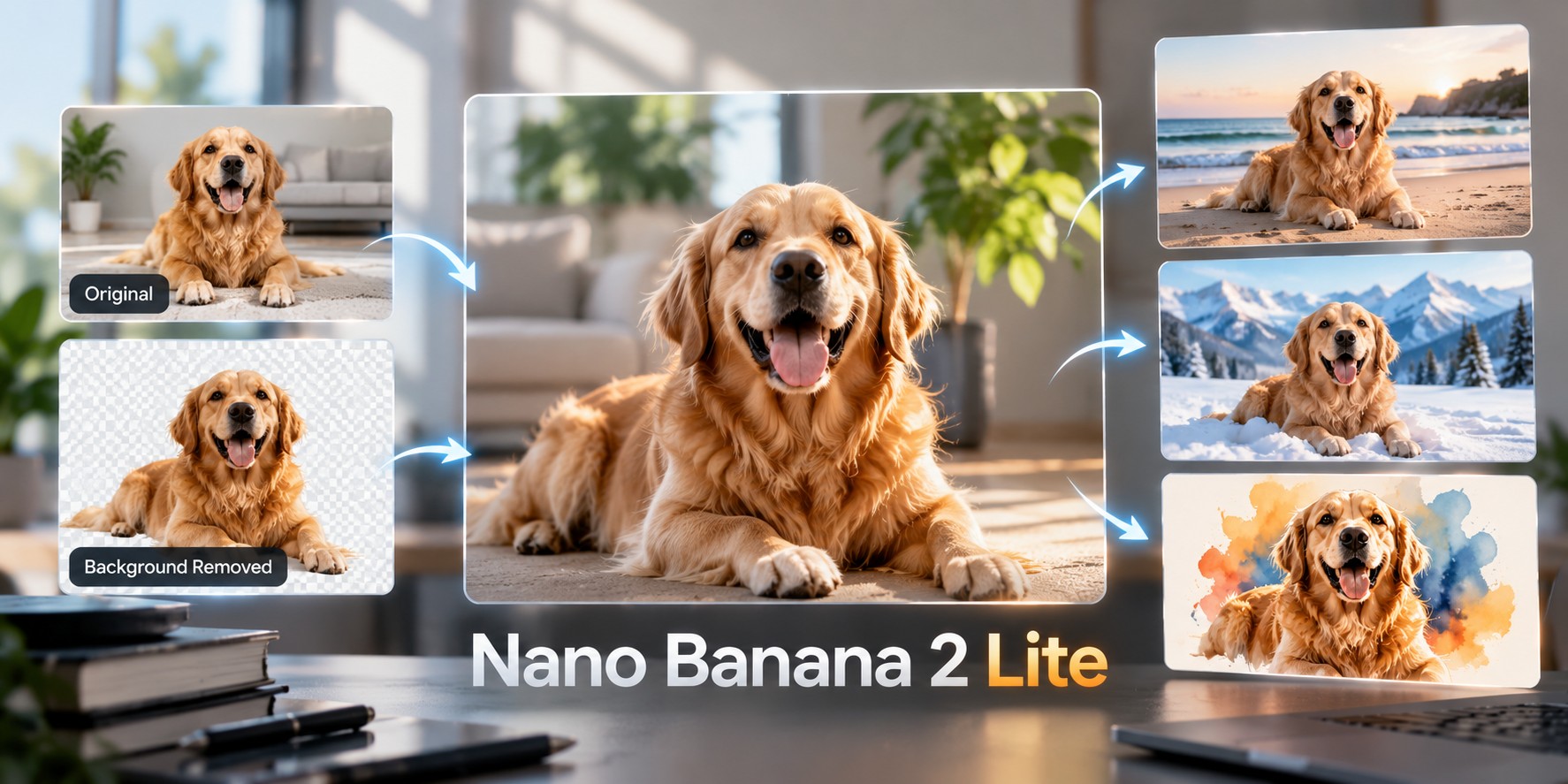
AI image generation is becoming a practical part of modern applications, from content creation tools to product design assistants. However, not every task needs a model built for the most complex creative work. Many applications need something simpler: generate an image quickly, make a small adjustment, and let the user continue working without unnecessary delays.
Nano Banana 2 Lite is designed for this kind of workflow. Built on Google's Gemini 3.1 Flash-Lite Image model, it focuses on fast, efficient image generation and editing. It is suited to rapid visual exploration, lightweight edits, and applications that generate images frequently.
In this guide, we explore how Nano Banana 2 Lite works, its main capabilities, practical use cases, prompting techniques, limitations, and what developers should verify before integrating it into an application.
What Is Nano Banana 2 Lite?
Nano Banana 2 Lite is a fast image generation and editing model in Google's Gemini image model family. Its underlying model identifier is Gemini 3.1 Flash-Lite Image. The model is designed to make visual creation more responsive and efficient, especially in applications where users need results quickly.
Users can describe an image in natural language, provide an image for supported editing tasks, and refine the result through follow-up instructions. This makes it useful for turning ideas into visuals and performing straightforward changes without requiring a traditional image-editing workflow.
The Lite designation is important. Nano Banana 2 Lite prioritizes speed and efficiency rather than offering every advanced feature available in more capable image models. It is especially suitable for everyday image creation, quick experiments, and relatively simple edits.
Key Features of Nano Banana 2 Lite
1. Fast image generation
The model is built for low-latency image generation, making it suitable for interactive applications where waiting for every result can interrupt the user experience. Users can explore creative directions, test different descriptions, and move through a workflow more quickly.
Actual response times depend on the prompt, request size, service conditions, and the integration being used. Developers should benchmark the model under realistic workloads rather than assume every request will complete within a fixed time.
2. Text-to-image generation
Users can describe a subject, environment, composition, lighting, mood, and visual style in ordinary language. The model interprets these instructions to create an image that follows the requested direction.
For example, a user could request a minimalist ceramic vase on a stone table, with warm afternoon light and a neutral background. A detailed description gives the model a clearer visual target than a short prompt such as "make a product photo."
3. Image editing
Nano Banana 2 Lite also supports image editing. A user can provide an existing image and request a supported change, such as adjusting colours, modifying a background, or creating a variation of the original visual.
The model is intended for lightweight, fast editing rather than every advanced image manipulation task. Complex compositions, extensive blending, or edits requiring precise preservation of numerous small details may need a different workflow or additional manual review.
4. Conversational refinement
Supported workflows can combine text and image content in a continuing interaction. This allows a user to generate a starting image and then request a straightforward refinement, such as changing the background colour or making the lighting softer.
However, Nano Banana 2 Lite is not optimized for long sequences of complex edits or workflows that depend on numerous reference images. For those requirements, evaluate a model specifically designed for more advanced creative control.
5. Multiple aspect ratios
Nano Banana 2 Lite supports a range of image aspect ratios, including square, portrait, landscape, and ultrawide formats. This is useful when an application creates different visual layouts for social posts, website illustrations, mobile screens, and other placements.
The model's documented output resolution is 1K. Do not assume that 2K or 4K generation is supported by this variant simply because other models in the same family offer higher resolutions.
How Nano Banana 2 Lite Works
A typical image-generation workflow begins when the user describes the intended result. The application sends the text prompt and any supported input data to the model. The model generates an image and returns it through the configured API response.
An editing workflow starts with an existing image and a clear description of the requested change. For example, the user might ask to replace a plain background with a garden setting while keeping the main subject recognizable.
Once the result is returned, the application can display it, let the user download it, or accept another instruction. This process works particularly well for lightweight creative tools where users want to experiment without leaving the application.
Developers should distinguish between the model's capabilities and the capabilities exposed by a particular API integration. Accepted input formats, image limits, output handling, and available controls must be verified against the current endpoint documentation.
Practical Use Cases
Social media content
Content creation tools can use Nano Banana 2 Lite to generate visual concepts for posts, campaign ideas, and simple illustrations. Its focus on speed makes it worth evaluating for applications where users create many images in a session.
E-commerce visuals
E-commerce applications can explore alternative backgrounds, creative product settings, and promotional concepts. Before using a generated visual in a product listing, check that the product's actual appearance has not been changed in misleading ways.
Design prototyping
Designers can quickly test visual directions for landing pages, advertisements, presentations, and application interfaces. The resulting images can help teams discuss ideas before investing time in a polished final design.
Background and colour adjustments
Simple image-editing applications can let users request changes using natural language. Examples include changing a background, trying a different colour palette, or making an image feel brighter or warmer.
Interactive creative applications
Developers can build applications that turn a short description into a visual result. Examples include creative assistants, concept generators, simple design tools, and image-based experiences where a quick response helps keep the interaction engaging.
High-volume image workflows
Applications that produce many straightforward images can evaluate Nano Banana 2 Lite for its efficiency-focused design. The right choice depends on output quality, response times, error rates, and how well the model performs on the application's actual prompts.
Prompting Tips for Better Results
Clear prompts are especially useful when an application needs predictable visual results. Start by identifying the main subject and then describe the setting, composition, lighting, colour palette, and style.
For example, instead of writing "create a room," specify a bright modern living room with natural oak furniture, a cream sofa, large windows, soft morning light, and a wide landscape composition. This gives the model a more concrete direction.
When editing an image, separate the desired change from the details that should remain consistent. A prompt such as "replace the background with a quiet beach at sunset while keeping the dog in the foreground recognizable" is clearer than "make this picture better."
Keep edits focused. Rather than requesting several unrelated changes in one instruction, start with the most important change and inspect the result. If it is not correct, clarify the instruction or adjust the prompt.
For images containing logos, small text, product labels, or important visual details, always inspect the final output. Generative models can introduce inaccuracies even when the prompt is clear.
Integrating Nano Banana 2 Lite Into an Application
Developers can integrate image generation into a web application, creative tool, or automated workflow through a supported API. Before writing the integration, confirm the model's exact identifier, endpoint, authentication method, accepted request structure, and response format in the relevant model documentation.
The following JSON is an illustrative example of the information an image-generation request might contain. It is not a verified, ready-to-run WhollyAPI request. The actual parameter names and supported values must be confirmed in the model's Details tabs.
{
  "model": "gemini-3.1-flash-lite-image",
  "prompt": "A minimalist ceramic vase on a pale stone table, soft natural lighting, realistic textures",
  "aspect_ratio": "1:1",
  "image_size": "1K"
}
The model identifier shown above is Google's underlying model ID, not a confirmed WhollyAPI routing identifier. Your application should use the exact model ID and request format specified by WhollyAPI for this model.
The example fields are illustrative as well. An integration may use different names or require a different request structure. Do not assume that fields such as aspect_ratio or image_size can be copied directly into the live request without checking the documentation.
For production use, keep API credentials on the server, validate user inputs, set appropriate request limits, and handle failures gracefully. Consider image retention, privacy, user permissions, and the application's requirements for displaying or downloading generated files.
You can review the Nano Banana 2 Lite model details to confirm the available capabilities and API-specific settings before implementing the integration.
Nano Banana 2 Lite vs. Nano Banana 2
Both models belong to Google's Gemini image family, but they are designed for different priorities. Nano Banana 2 Lite focuses on speed and efficiency for straightforward image generation and editing. Nano Banana 2 offers a broader capability set for more demanding image workflows.
Nano Banana 2 Lite is worth evaluating when fast responses and lightweight creative tasks matter most. Nano Banana 2 may be a better fit when a workflow depends on more advanced image reasoning, multiple references, or stronger creative control.
The decision should be based on the actual task. Test representative prompts using both models and compare visual quality, editing accuracy, response times, consistency, and the amount of manual correction required.
You can explore the wider WhollyAPI model library to evaluate image models alongside other AI capabilities available for your application.
Limitations to Consider
Nano Banana 2 Lite is designed around efficiency, so it should not automatically be treated as the best choice for every image-generation task. Highly complex compositions, demanding reference-image workflows, and long sequences of detailed edits may benefit from a more capable model.
The documented output resolution for this variant is 1K. Applications that require higher-resolution assets should verify whether another model is more appropriate.
Generated images may contain incorrect text, small visual inconsistencies, or details that differ from the prompt. This is particularly important for infographics, product images, labels, and other assets where accuracy matters.
Finally, actual speed and output quality depend on the complete integration, not just the model. Test the endpoint with real prompts, handle timeouts and failed requests, and provide a review or retry option when results do not meet expectations.
Frequently Asked Questions
What is Nano Banana 2 Lite?
Nano Banana 2 Lite is Google's Gemini 3.1 Flash-Lite Image model, designed for fast and efficient image generation and editing.
Can Nano Banana 2 Lite generate images from text?
Yes. It can use natural-language descriptions to generate images, making it suitable for creative applications and rapid visual prototyping.
Can it edit existing images?
Yes. It supports image editing and lightweight changes. Complex editing workflows may require a model with more advanced creative controls.
What image resolution does Nano Banana 2 Lite support?
Its documented output resolution is 1K. Check the current model specification for the exact settings available through your chosen API.
Is Nano Banana 2 Lite suitable for high-volume applications?
It is designed with speed and efficiency in mind, which makes it a candidate for high-volume image workflows. Benchmark it against your latency, quality, reliability, and usage requirements before deployment.
Is Nano Banana 2 Lite better than Nano Banana 2?
Neither is universally better. Nano Banana 2 Lite prioritizes efficient generation and simple editing, while Nano Banana 2 is intended for a broader range of demanding image tasks. Choose based on the requirements of your application.
How can developers use Nano Banana 2 Lite with WhollyAPI?
Open the model's WhollyAPI details page, confirm its API identifier and supported request format, and integrate it using the documented authentication and response-handling instructions.
Final Thoughts
Nano Banana 2 Lite is designed for applications that need image generation and straightforward editing with an emphasis on speed and efficiency. It can be a useful option for creative assistants, content tools, visual prototyping, and other workflows where users benefit from quick iterations.
Its efficiency-focused design also comes with trade-offs. Developers should consider the 1K output resolution, the limitations of complex editing, and the accuracy of generated details when deciding whether it fits their needs.
The most reliable way to choose is to test the model using representative prompts from your application. With clear instructions, a well-designed integration, and appropriate output checks, Nano Banana 2 Lite can support responsive image-generation experiences without adding unnecessary complexity.