
Nemotron 3.5 ASR: Real-Time Multilingual Speech Recognition
Explore Nemotron 3.5 ASR, NVIDIA's compact multilingual speech recognition model for streaming transcription, live captions, voice agents, and audio processing.
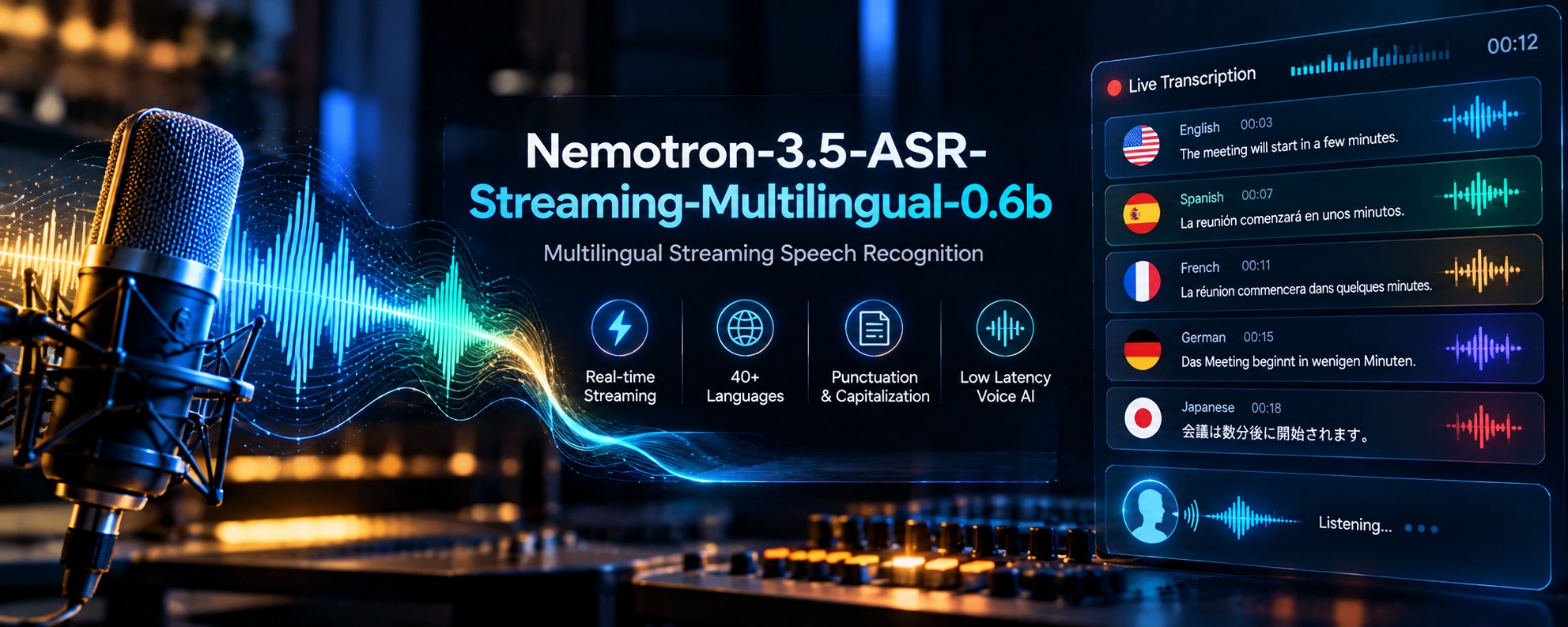
Speech is one of the most natural ways for people to interact with technology, but applications need a reliable way to turn spoken words into text. From live captions and meeting notes to voice assistants and multilingual customer support, automatic speech recognition is an important part of modern software.
Nemotron-3.5-ASR-Streaming-Multilingual-0.6B is NVIDIA's compact speech recognition model designed to transcribe speech as audio arrives. Its architecture focuses on efficient streaming, while multilingual language conditioning allows a single model to process speech across supported language locales.
In this guide, we'll explore how the model works, why its streaming architecture matters, which applications can benefit from it, and how developers can configure transcription requests through WhollyAPI.
What Is Nemotron-3.5-ASR-Streaming-Multilingual-0.6B?
Nemotron 3.5 ASR is an automatic speech recognition model developed by NVIDIA. The multilingual version contains approximately 600 million parameters and is designed for speech-to-text tasks in both low-latency streaming and batch-processing workflows.
The model uses a cache-aware FastConformer-RNNT architecture. FastConformer processes acoustic information from speech, while the recurrent neural network transducer, or RNNT, generates the corresponding text. The cache-aware design reuses information from previously processed audio rather than repeatedly processing overlapping sections.
This approach is particularly useful for applications that receive audio continuously. Instead of waiting for an entire recording to finish before beginning transcription, a streaming system can process successive chunks and deliver text incrementally.
The multilingual version extends the earlier English-focused Nemotron streaming model to 40 language locales, with automatic language detection available in supported configurations. It also generates punctuation and capitalization as part of its transcription output.
For model-specific settings, request options, and the live demo, visit the Nemotron 3.5 ASR model page on WhollyAPI.
Key Features of Nemotron 3.5 ASR
1. Low-Latency Streaming Transcription
Traditional transcription workflows often process a complete audio file and return the transcript after the recording has finished. Streaming recognition is different: it processes incoming audio in chunks and can produce partial text while the speaker is still talking.
Nemotron 3.5 ASR is designed for this kind of workflow. Its cache-aware architecture reuses previously computed encoder information, reducing redundant work when new audio arrives.
This can be useful for live captions, spoken commands, voice agents, and real-time conversation interfaces. The actual delay experienced by users depends on the audio chunk size, model configuration, network conditions, and the surrounding application.
2. Multilingual Recognition with One Model
The multilingual variant supports 40 language locales. Instead of deploying a separate speech recognition model for every supported locale, developers can use one model family for a broader range of transcription needs.
The model uses language-ID prompt conditioning to guide recognition toward a target language. Supported configurations can also detect the language automatically, which is useful when the application does not know the language before audio arrives.
Locale coverage should not be confused with identical accuracy across every language. Recognition quality can vary with the language, accent, recording environment, vocabulary, and available training data. Test the languages most important to your application before deployment.
3. Automatic Punctuation and Capitalization
Raw speech does not arrive with commas, periods, or capital letters. A transcription system must convert continuous spoken language into readable text.
Nemotron 3.5 ASR includes native support for punctuation and capitalization. This helps produce transcripts that are easier to read and display in applications such as meeting interfaces, live captions, and voice-driven support tools.
Automatic punctuation is still an interpretation of spoken language. It does not guarantee perfect sentence boundaries or formatting in every situation, particularly when speakers pause unexpectedly, interrupt one another, or use unusual phrasing.
4. Cache-Aware FastConformer-RNNT Architecture
The model's architecture is central to its streaming behavior. FastConformer serves as the acoustic encoder, transforming incoming audio into representations that help the system identify speech. The RNNT decoder then produces text tokens from those representations.
In cache-aware streaming, the system preserves relevant information from earlier chunks. When the next chunk arrives, it can reuse cached context instead of recomputing overlapping audio sections.
This reduces redundant computation and is intended to improve the efficiency of continuous recognition. It is particularly relevant to voice agents, where unnecessary processing can add delay and increase the resources required to handle simultaneous conversations.
5. Configurable Audio Chunking
Streaming systems divide incoming audio into smaller pieces. The chunk size affects how quickly text can be produced and how much surrounding audio the model can consider before emitting a result.
NVIDIA's documentation describes configurable streaming chunk sizes, including very short chunks for latency-sensitive use cases. Smaller chunks can reduce waiting time, while larger chunks may provide more acoustic context before the model produces text.
The best setting depends on the application. Live voice interaction may prioritize responsiveness, while recorded interviews may allow a longer processing window if it improves the transcript. Use the options exposed by your serving endpoint rather than assuming all deployments support identical settings.
6. Streaming and Batch Workloads
Although the model is designed for streaming, it can also be used for batch transcription. This gives developers flexibility when building systems that need both real-time recognition and processing of stored recordings.
A voice assistant might process speech continuously, while a reporting system could submit a completed audio file for transcription. Using the same model family across these workflows can simplify model management, though the exact integration and request format may differ.
What Can You Build with Nemotron 3.5 ASR?
Live Captions and Subtitles
Applications can use streaming recognition to display spoken words while a presentation, webinar, interview, or conversation is taking place. Incremental transcription can help captions appear without waiting for the full recording to finish.
For public-facing captions, review how the application handles partial results, corrections, punctuation, and interruptions. A word emitted early in a stream may need to be updated as additional context becomes available, depending on the integration.
Real-Time Voice Agents
Voice agents need to understand spoken requests quickly enough to maintain a natural conversation. Nemotron 3.5 ASR can provide the speech-to-text component that converts a user's spoken words into text for the rest of the agent pipeline.
The transcript can then be passed to a language model, application logic, or a tool-calling system. The ASR model itself is responsible for recognizing speech; dialogue management and action execution belong to the surrounding application.
Multilingual Customer Support
Businesses serving customers in different regions can use multilingual transcription to turn spoken interactions into searchable text. This can support call review, support records, conversation search, and downstream analytics.
For sensitive customer interactions, ensure the application follows appropriate consent, data-retention, access-control, and privacy requirements. Transcription can expose personal information that was previously available only inside an audio recording.
Meeting and Interview Transcription
Recorded meetings, interviews, and research sessions can be transcribed for later review. The resulting text can be searched, summarized by another model, or used to locate important sections of a recording.
Nemotron 3.5 ASR focuses on speech recognition rather than full meeting analysis. If you need summaries, action items, or explanations of a discussion, you can build a downstream workflow that processes the transcript separately.
Voice Commands and Hands-Free Interfaces
Speech recognition can make software easier to use when typing is inconvenient. Examples include hands-free search, spoken form entry, voice-enabled dashboards, and voice controls for approved application functions.
Keep recognition and execution separate. The application should validate the recognized text, check user permissions, and request confirmation before performing sensitive or irreversible actions.
Audio Data Processing Pipelines
Teams that work with large audio collections can use batch transcription to turn recordings into text that is easier to index and analyze. The same model family can also support streaming use cases where new audio needs to be processed as it arrives.
A practical pipeline may include audio validation, transcription, quality checks, storage, and downstream processing. Each stage should handle errors explicitly so a failed or incomplete transcript is not treated as a complete record.
Understanding Language Selection and Chunk Size
Nemotron 3.5 ASR offers configuration choices that influence how speech is processed. Two important concepts are language selection and chunk size.
Language Selection
If the language is known in advance, a supported locale can be supplied to guide transcription. If it is unknown, the automatic detection option can be used when supported by the endpoint.
Use the language identifiers accepted by the API rather than guessing from display names. A locale can distinguish variants such as US and UK English or different regional versions of Spanish.
Chunk Size
The audio chunk size determines how much audio is processed at each step. Shorter chunks can improve responsiveness but provide less surrounding context for each emission. Larger chunks can allow more context but may increase the time before new text appears.
The WhollyAPI demo exposes a chunk-length setting in seconds, with a documented range from 1 to 30 seconds and a default of 30 seconds. This is a configurable demo option and should not be confused with every low-level streaming chunk size supported by NVIDIA's underlying runtime.
For live conversations, test the delay from spoken input to visible text. For batch jobs, prioritize transcript quality and processing throughput instead of optimizing only for the earliest partial result.
How to Test the Model Through WhollyAPI
The WhollyAPI model page provides a live demo for submitting audio and adjusting transcription settings. The interface accepts audio files in supported formats, including MP3, WAV, and M4A, with a maximum upload size of 5 MB in the documented demo.
You can experiment with the available controls, including temperature, an optional initial prompt, chunk level, chunk length, task, service tier where supported, and language selection.
The chunk-level option lets you select segment- or word-level output. The language option accepts a two-letter language code in the demo, while leaving it unset allows the model to use language detection where available.
A simple testing workflow is:
- Open the model's live demo and upload a short audio file in a supported format.
- Choose a language or use automatic detection if appropriate.
- Select the task and chunk settings available in the interface.
- Run the request and inspect the generated transcription.
- Compare the transcript against the original audio, noting errors in names, numbers, punctuation, and accented speech.
- Repeat with recordings that represent the conditions your application will encounter in production.
For API integration, use the endpoint, model identifier, and request structure documented for this specific model. The exact low-level streaming protocol should not be inferred from the existence of a file-upload demo. If your application needs partial transcripts as audio arrives, verify that the selected endpoint exposes streaming input and incremental output before implementing the client.
Keep API credentials on the server, validate uploaded files, and handle timeouts or incomplete results. For a production system, also test how the application behaves when audio is silent, noisy, interrupted, or in an unsupported language.
Limitations to Consider
Nemotron 3.5 ASR is specialized for transcription, but no speech recognition model is error-free. Its real-world performance depends on the audio and the way the model is configured.
- Noise and overlapping speech: Background sounds, multiple speakers, and poor microphones can reduce recognition quality.
- Language variation: Support for a locale does not guarantee equal performance across accents, dialects, and specialist vocabulary.
- Chunking trade-offs: Smaller chunks may improve responsiveness but can reduce the context available for each partial result.
- Transcription is not understanding: The model converts speech to text; summarization, sentiment analysis, and complex question answering require additional processing.
- Endpoint differences: Streaming behavior, accepted inputs, and available parameters depend on the serving interface.
- Sensitive information: Audio and transcripts may contain personal or confidential details. Apply appropriate privacy and access controls.
Before deploying, evaluate word error rate where appropriate, latency, performance across your supported locales, and how the system handles corrections and partial transcripts.
Frequently Asked Questions
What is Nemotron-3.5-ASR-Streaming-Multilingual-0.6B?
It is a 600-million-parameter multilingual automatic speech recognition model from NVIDIA. It is designed for streaming and batch transcription across 40 language locales.
What does ASR mean?
ASR stands for automatic speech recognition. It is the technology that converts spoken audio into text.
Does Nemotron 3.5 ASR support real-time transcription?
Yes. Its cache-aware architecture is designed for low-latency streaming recognition. The actual response time depends on chunk settings, serving configuration, network conditions, and the application.
How many languages does the multilingual model support?
NVIDIA documents support for 40 language locales. Automatic language detection is available in supported configurations, but accuracy can vary across locales and recording conditions.
Does it automatically add punctuation?
Yes. The model supports native punctuation and capitalization in its transcription output, making the text easier to read without relying entirely on a separate formatting stage.
What is the difference between streaming and batch transcription?
Streaming transcription processes incoming audio in chunks and can return text while the recording is still in progress. Batch transcription processes an audio file as a completed input, which is useful for stored recordings and offline workflows.
Can it summarize a meeting or answer questions about a recording?
Its primary function is speech recognition. You can pass its transcript to a separate language model or analysis system to generate summaries, extract action items, or answer questions about the conversation.
How can I try Nemotron 3.5 ASR?
Use the model's live demo on WhollyAPI to upload a supported audio file, adjust the available transcription settings, and inspect the result. Check the model-specific API instructions before implementing a streaming client.
Final Thoughts
Nemotron-3.5-ASR-Streaming-Multilingual-0.6B is built for applications that need efficient speech-to-text processing rather than a general-purpose conversational audio model. Its cache-aware FastConformer-RNNT architecture, multilingual locale support, and native punctuation and capitalization make it a useful candidate for live captions, voice agents, customer support, and audio transcription pipelines.
Its main advantage is the combination of a compact model and a streaming-focused design. That makes it worth evaluating when responsiveness and multilingual recognition are important requirements.
As with any ASR system, test it with the accents, languages, microphones, and acoustic conditions your users will actually encounter. Confirm the endpoint's streaming behavior and available parameters before building your production workflow around them.
Model capabilities and API options may change. Check the current model documentation before deployment.